01 / 03
Pick a rhythm
Twenty-five minutes, or fifty
Classic 25/5, Deep Work 50/10, Study 45/15, Reading, Exam and Short Focus come built in. You can also save your own intervals.
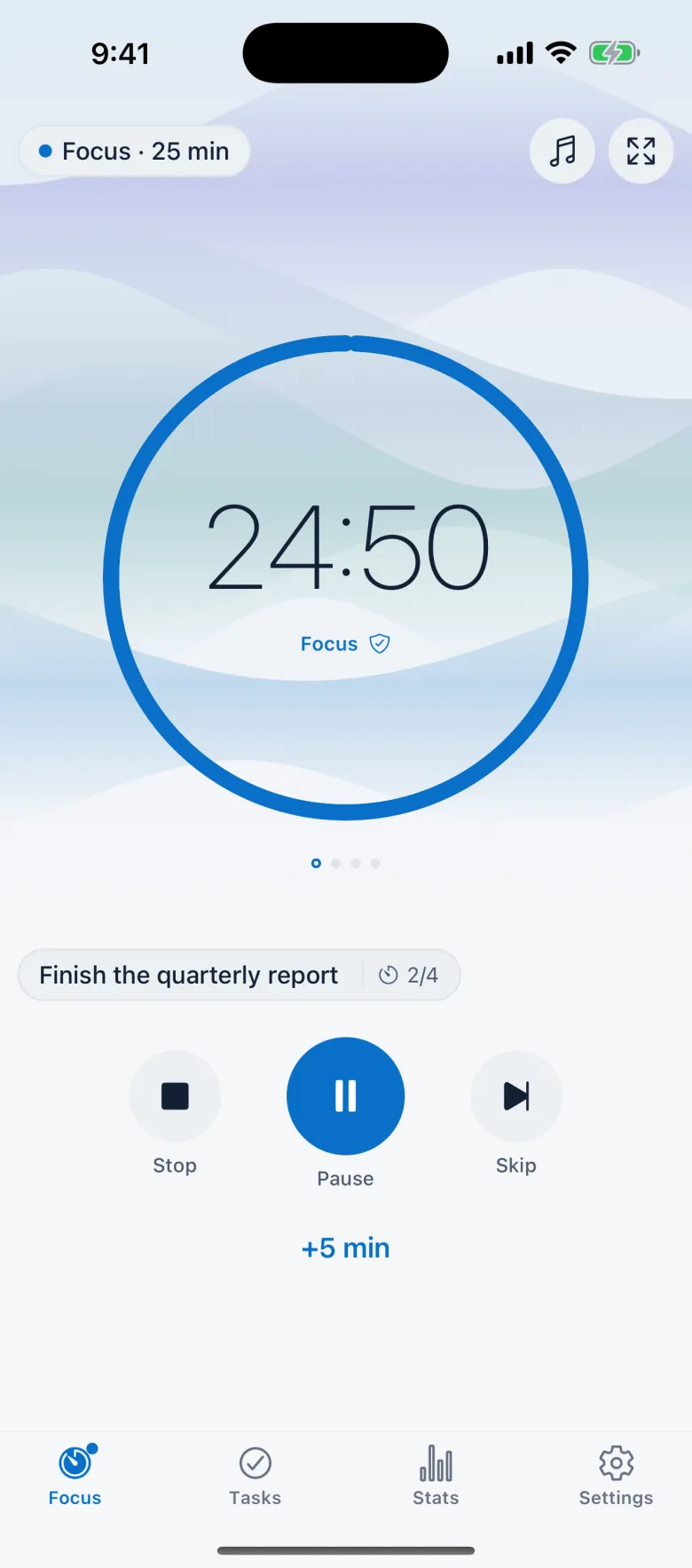
A Pomodoro timer for deep work and study. It keeps exact time when you lock the phone or close the app.
Free on iPhone, iPad and Android. No account needed.
01 / 03
Pick a rhythm
Classic 25/5, Deep Work 50/10, Study 45/15, Reading, Exam and Short Focus come built in. You can also save your own intervals.
02 / 03
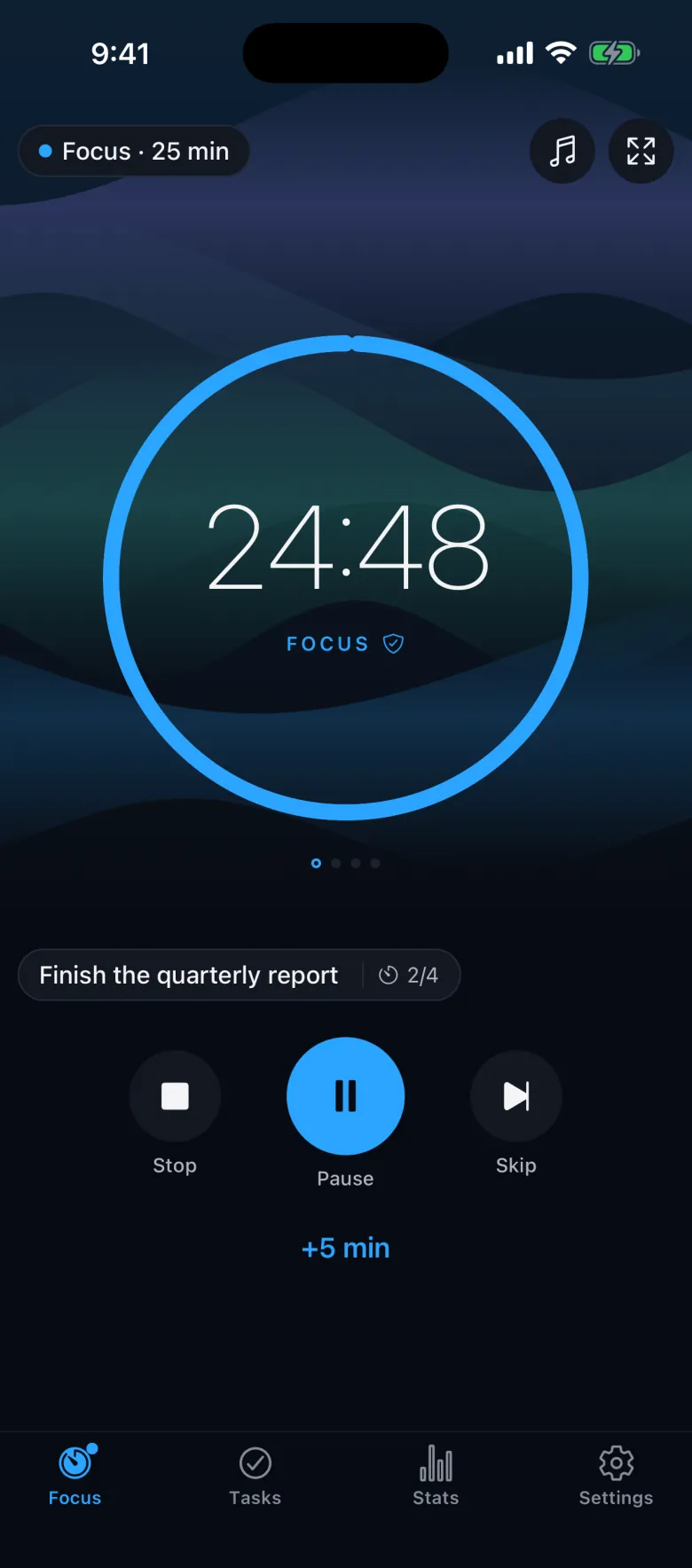
Focus
Write what you will work on and press start. When a session goes well, add five minutes with one tap.
03 / 03
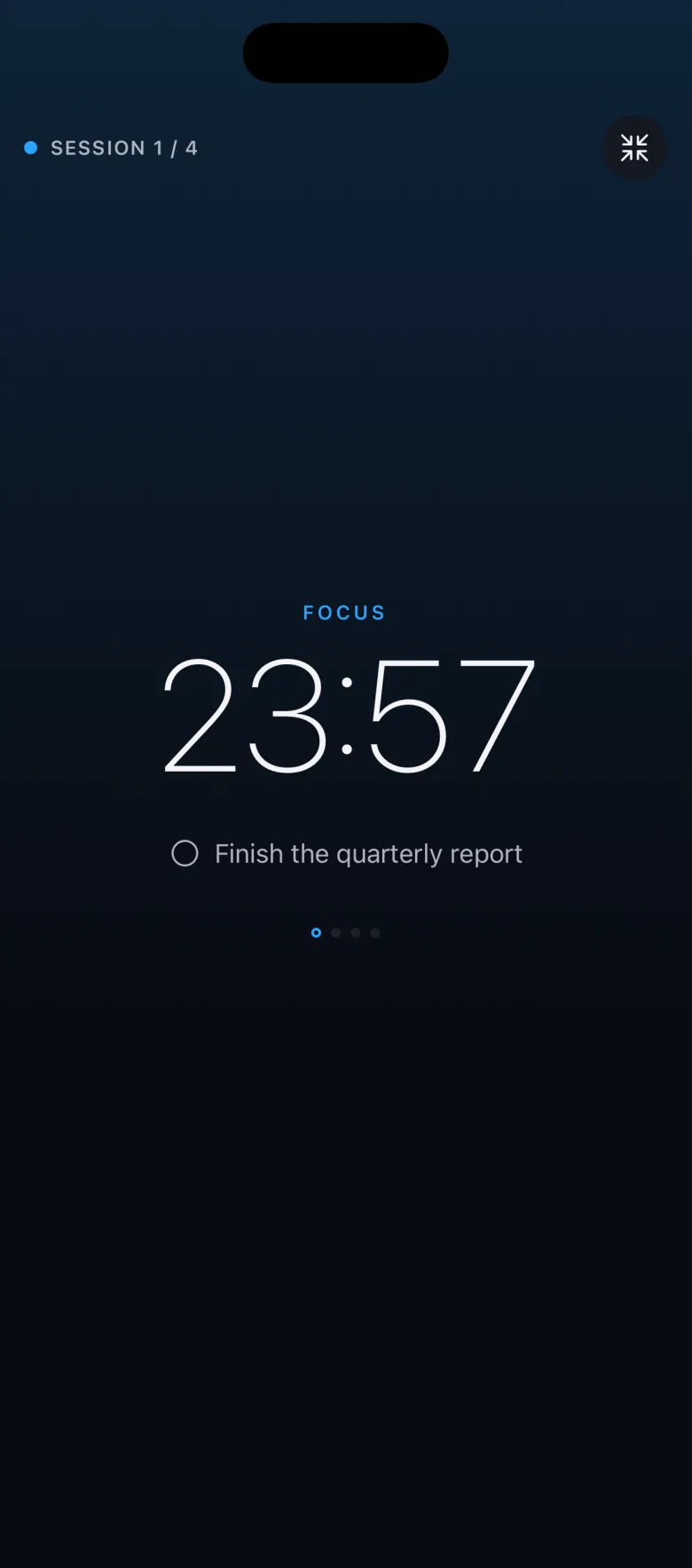
Full-screen Focus
Full-screen Focus shows the time and your task on a dark screen. Tap anywhere to hide the controls, and tap again to bring them back.
Sessions and breaks
Pick a preset to see one round.
25 min focus · 5 min breaks · 15 min long break after 4 sessions
Focus stores the moment your session ends and counts toward it. Lock the phone or close Focus, and the alert still arrives on the minute.
You press start
25:00 left
Ends at
You lock the phone
18:20 left
Ends at
You close Focus
10:55 left
Ends at
The session ends
 Focus session completeGreat work. Time for a short break.
01 / 03
Lock Screen
When you lock the screen, the session moves to the Lock Screen with your task and the time left.
FocusFinish the quarterly report
24:12
9:41
02 / 03
Live Activity
On iPhone the countdown sits in the Dynamic Island and on the Lock Screen. On Android, an ongoing notification counts down in the same way.
Finish the quarterly reportSession 1 of 4
24:12
FocusFinish the quarterly report
24:12
9:41
03 / 03
Widgets
Home Screen and Lock Screen widgets show the countdown and today's focus against your goal. You can pause or resume without opening the app.
9:41
The timer screen
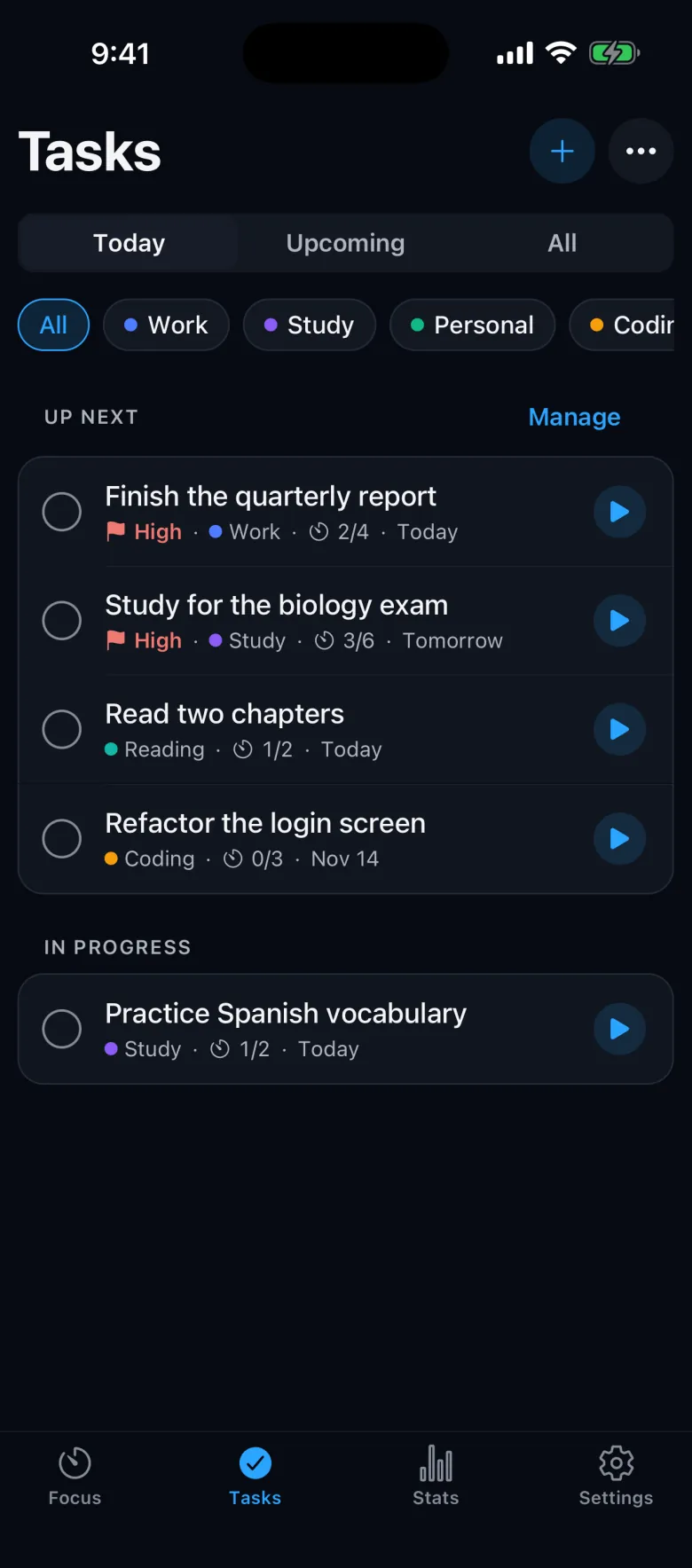
Tasks and stats
Tasks
Intention
When you finish a task, Up next picks the next one for you.
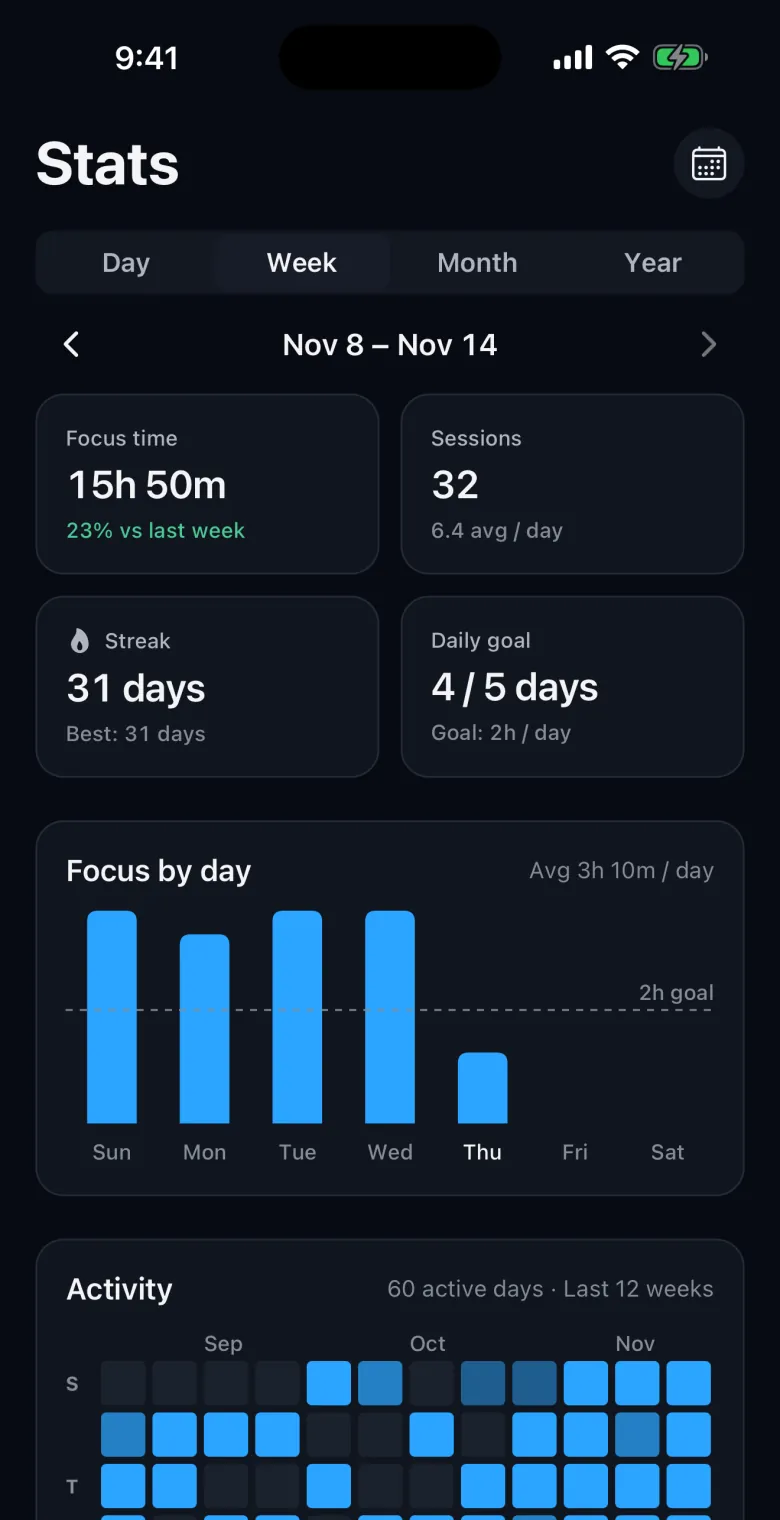
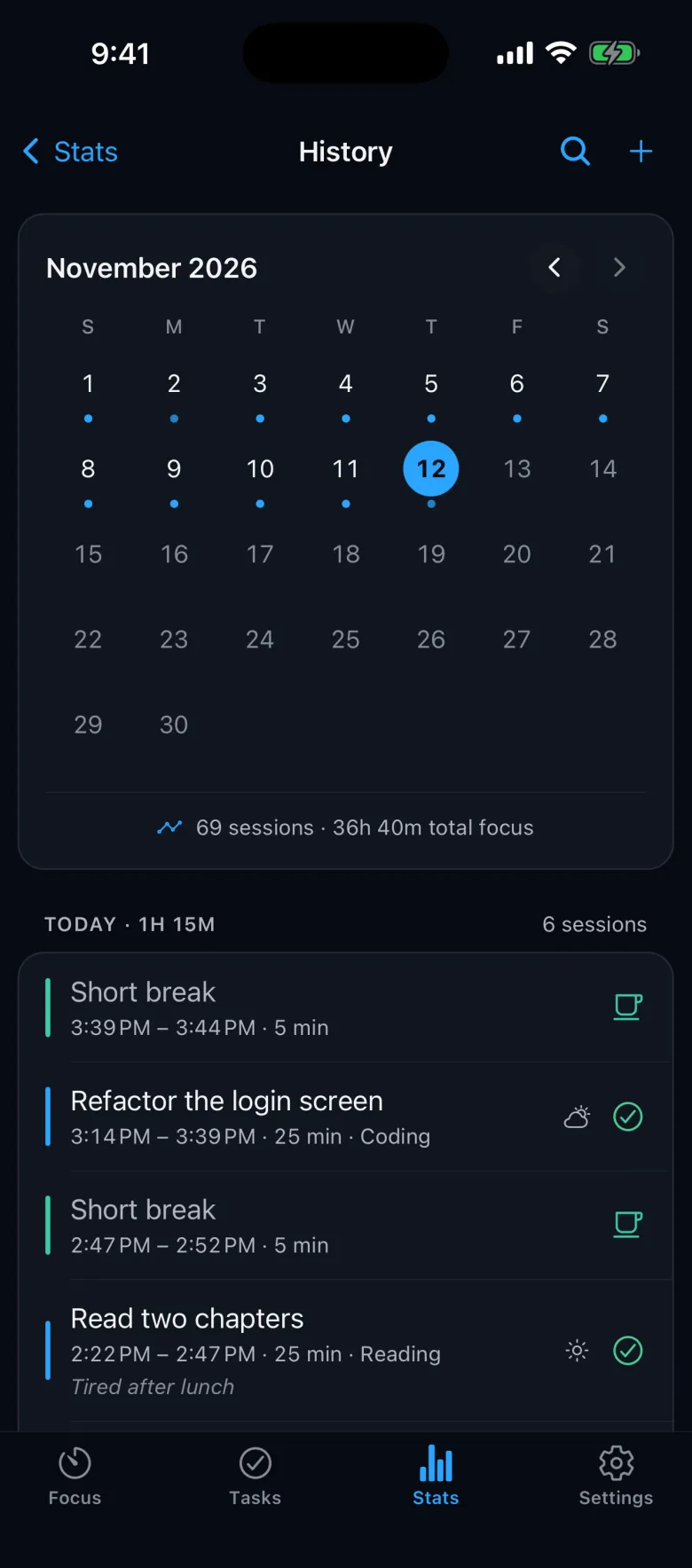
Stats
History
History
Sound
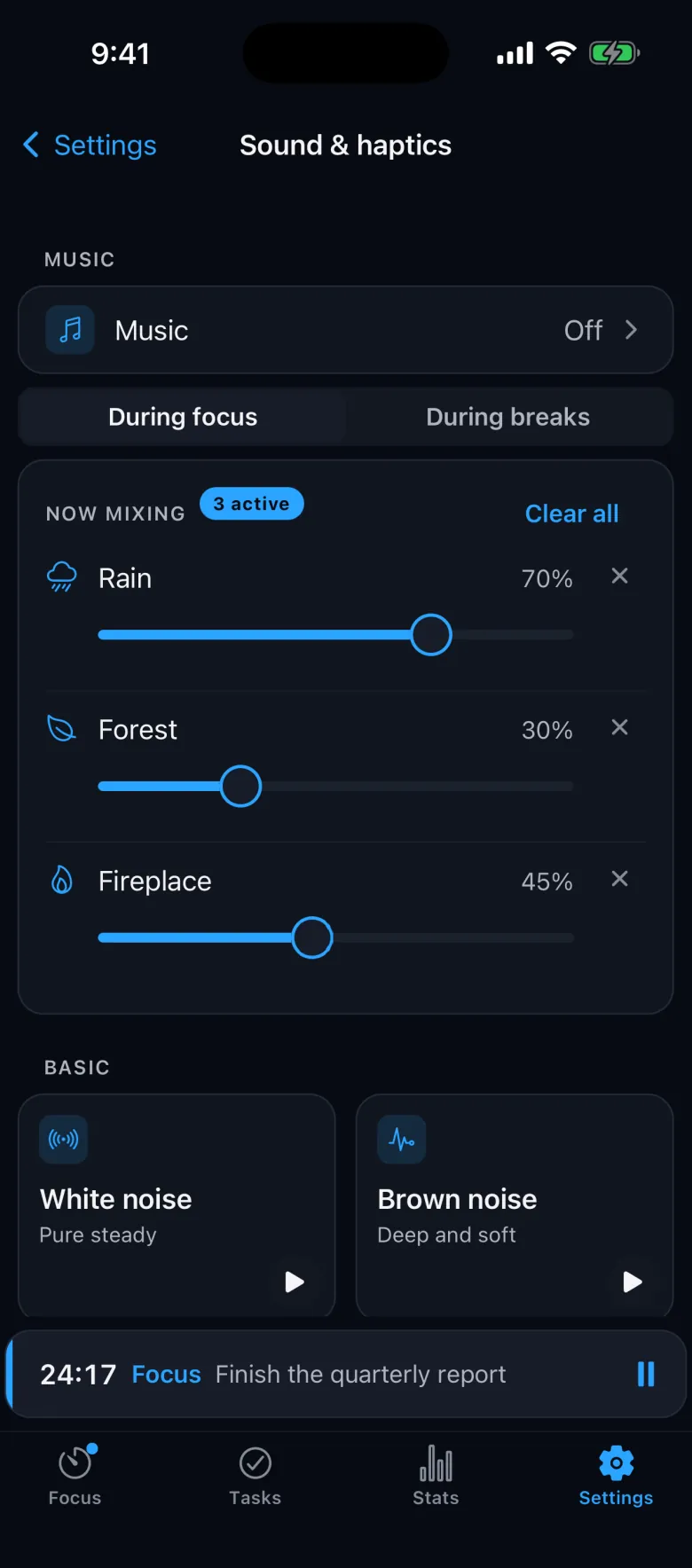
Focus has its own generated soundscapes. Layer them in the mixer or play focus music, and control playback from the Lock Screen.
Try a mix
Tap a sound to add a layer. This preview runs in your browser and stays silent until you press Play.
Themes
Pick a theme and every screen follows it. Pro lets you make your own.
App blocking
Choose the apps you want out of the way. Focus blocks them while a session runs and lets them back in when you pause or take a break.
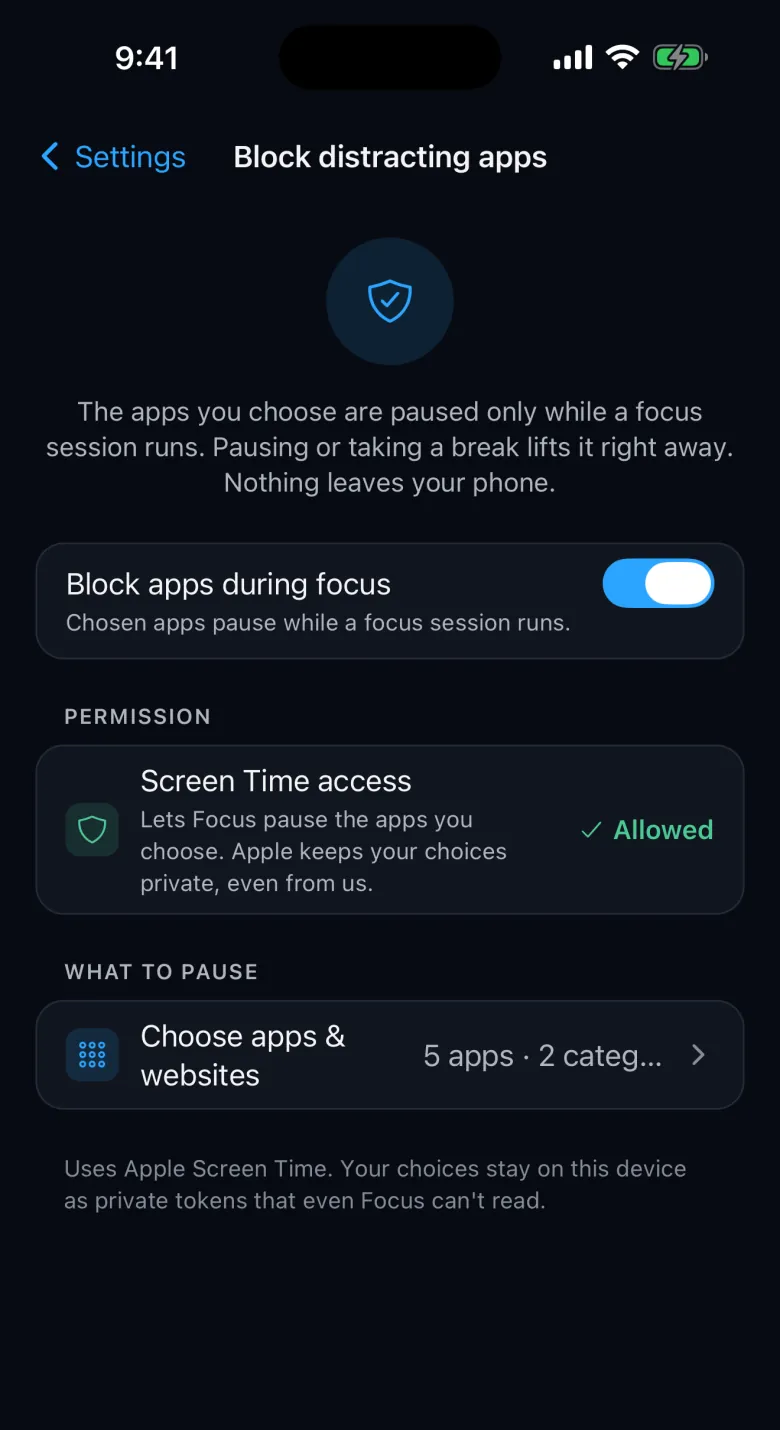
Uses Apple Screen Time. Your app choices stay on the device as private tokens.
Focus shows a pause screen over the apps you chose.
Block up to 2 apps for free, or as many as you like with Pro.
No account.
No login.
Works offline.
Your tasks and sessions stay on your phone. Export a JSON backup or a CSV at any time and import it later.
Focus Pro
Focus is free with ads. Pro removes the ads and adds every theme, sound and insight.
1, 2, 3 or 12 months; cancel anytime in your store account. No trial. Watching a short ad opens one Pro item for 24 hours.
The next twenty-five minutes start here.
iPhone · iPad · Android